YAMLResume v0.17
is out. The headline feature is a small option with broad reach:
theme.colors.accent tints the highlighted elements of your resume—section
titles, rules, links, and labels—across the LaTeX, HTML, and DOCX engines.
v0.17 also ships a third HTML template, kami, a warm print-inspired design,
and the Docker image got 4.7x
slimmer.
Theme Your Resume with Accent Colors
The new theme.colors.accent option gives all layout engines a single, shared
way to control the accent color of a resume, without affecting measurable
layout geometry (page size, margins, font sizes) or section structure:
layouts:
  - engine: latex
    theme:
      colors:
        accent: burgundy
The option accepts one of nine named presets that follow the
moderncv color scheme palette, or an
arbitrary #RRGGBB hex color string:
theme:
  colors:
    accent: "#1B365D"
Each engine applies the accent in its own idiomatic way:
- LaTeX: the moderncv templates map the accent onto moderncv's
color1, while the jake template defines a customaccentcolorfor section titles and rules. - HTML: templates expose the accent as a CSS
--accent-colorvariable that tints headlines, section titles, links, and skill labels. - DOCX: the calm template tints section headings and hyperlink text.
Here is the jake template rendered
with four accent presets:
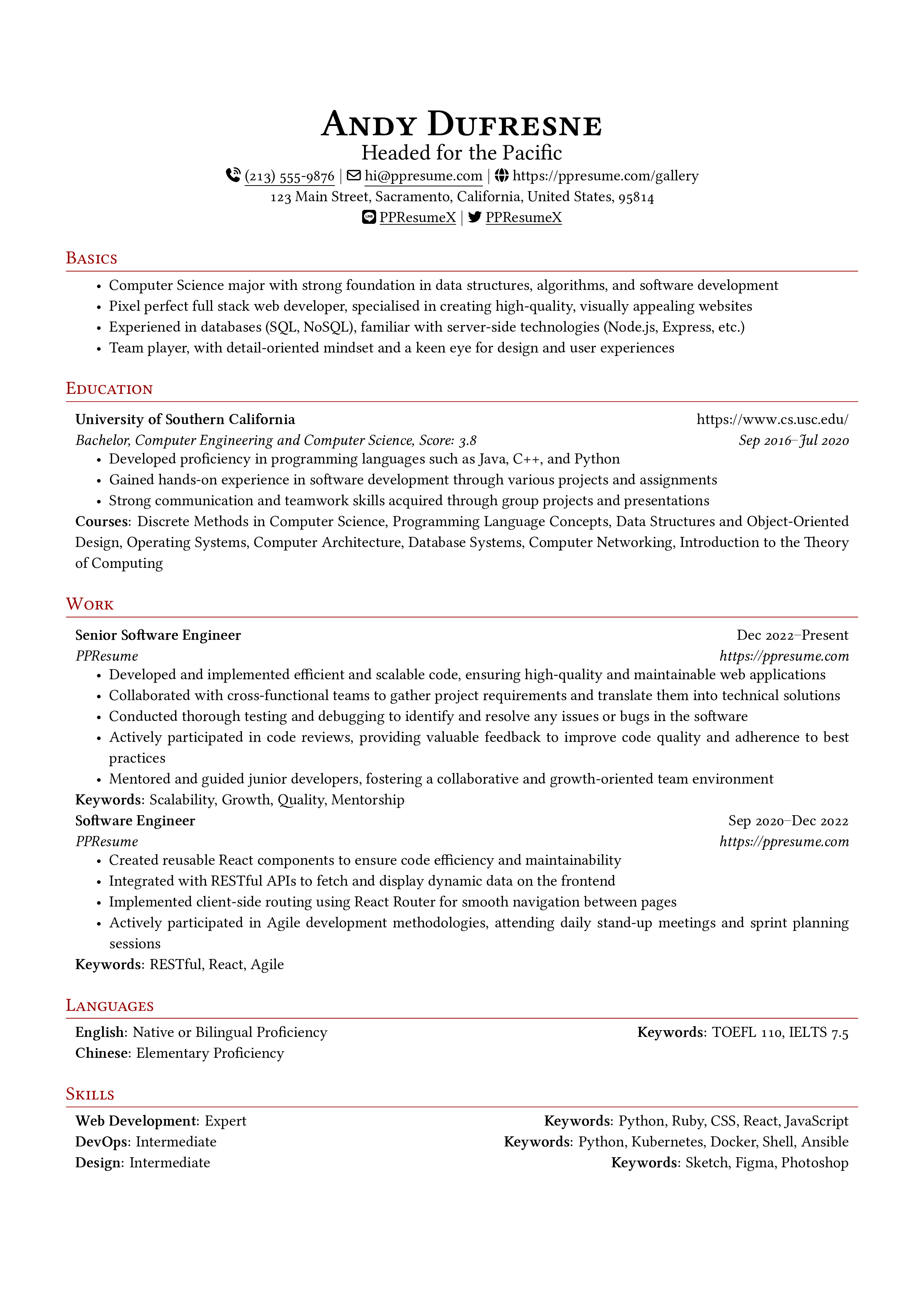
burgundy
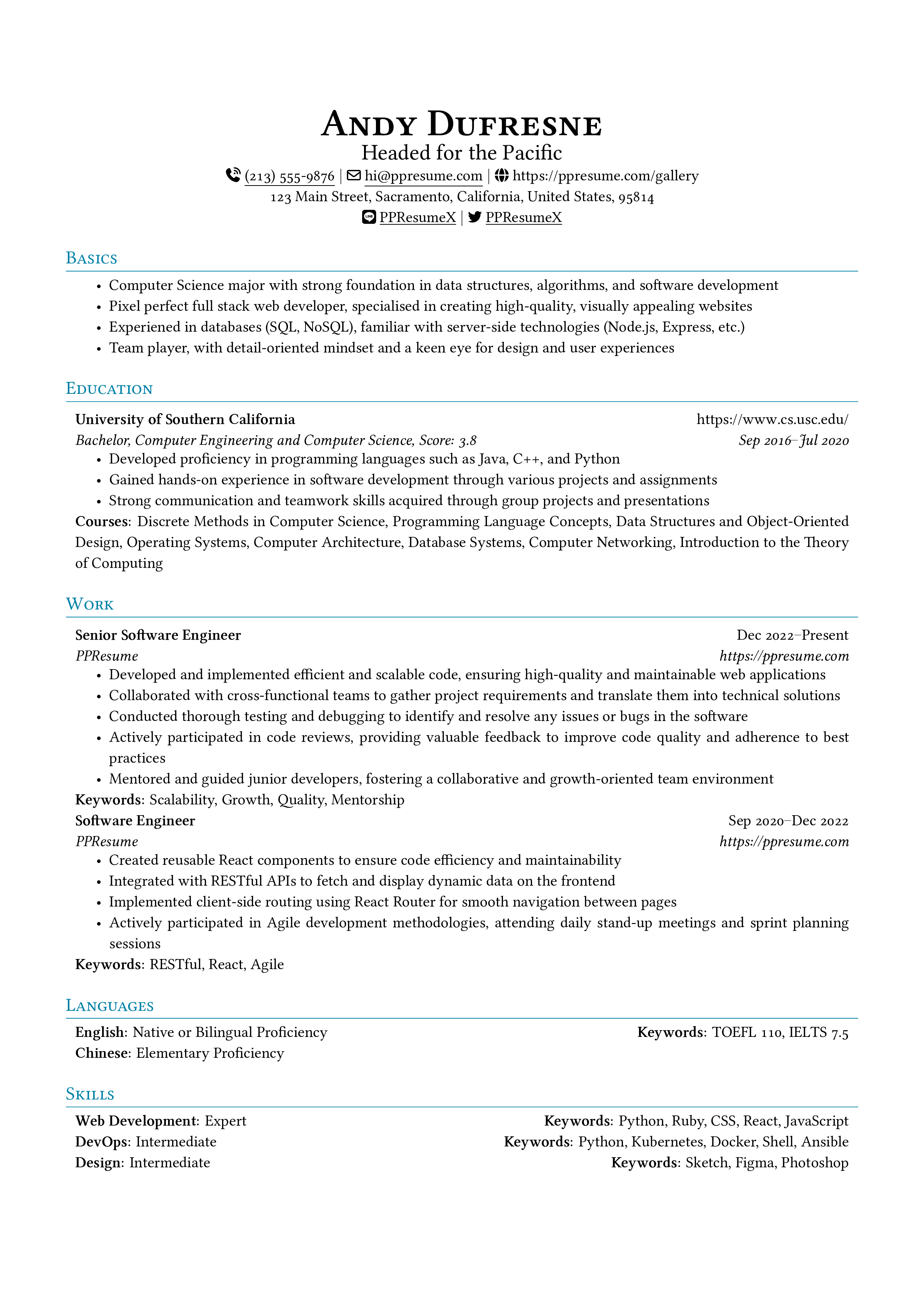
cerulean
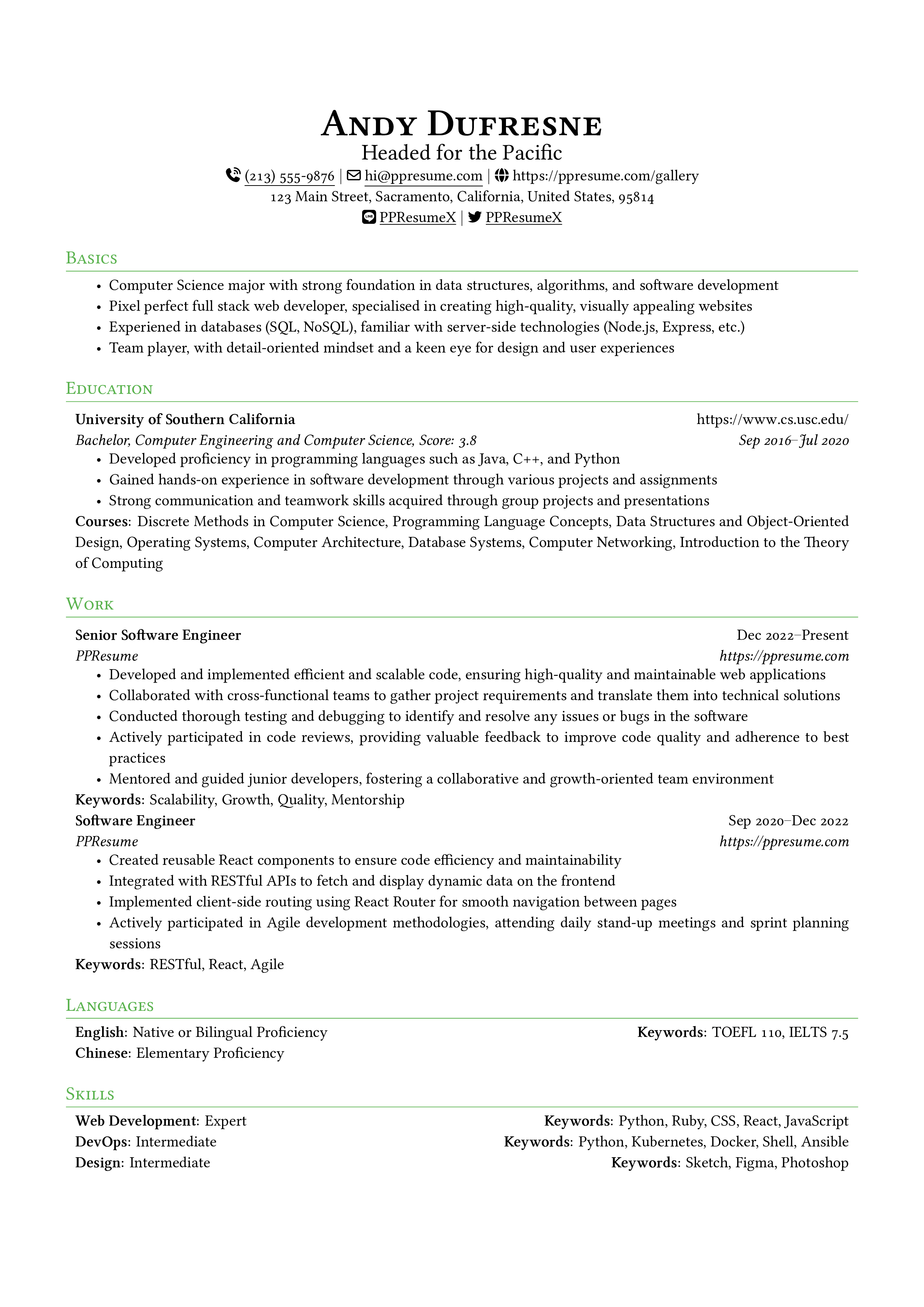
green
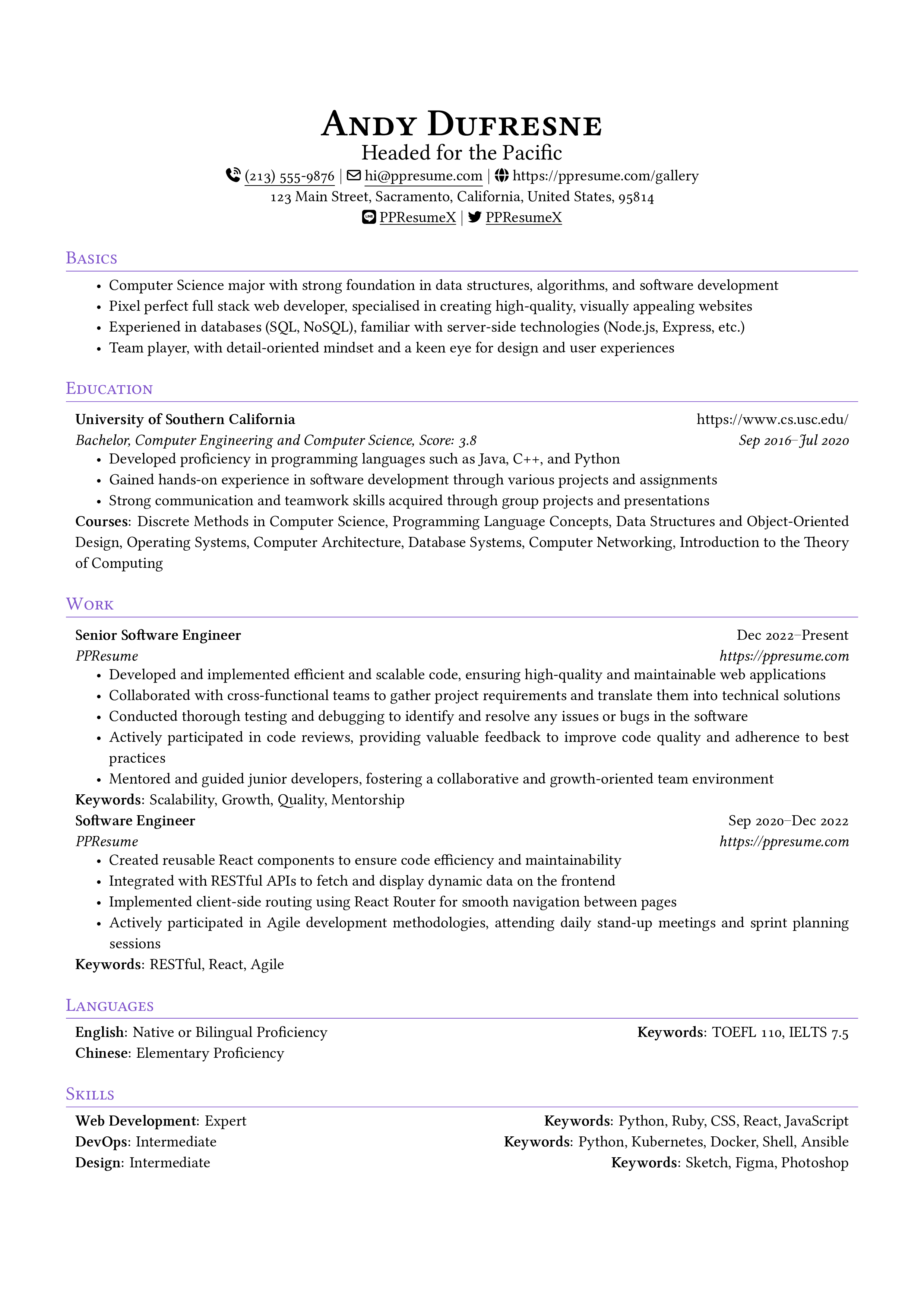
purple
Here is the kami template rendered
with four accent presets:
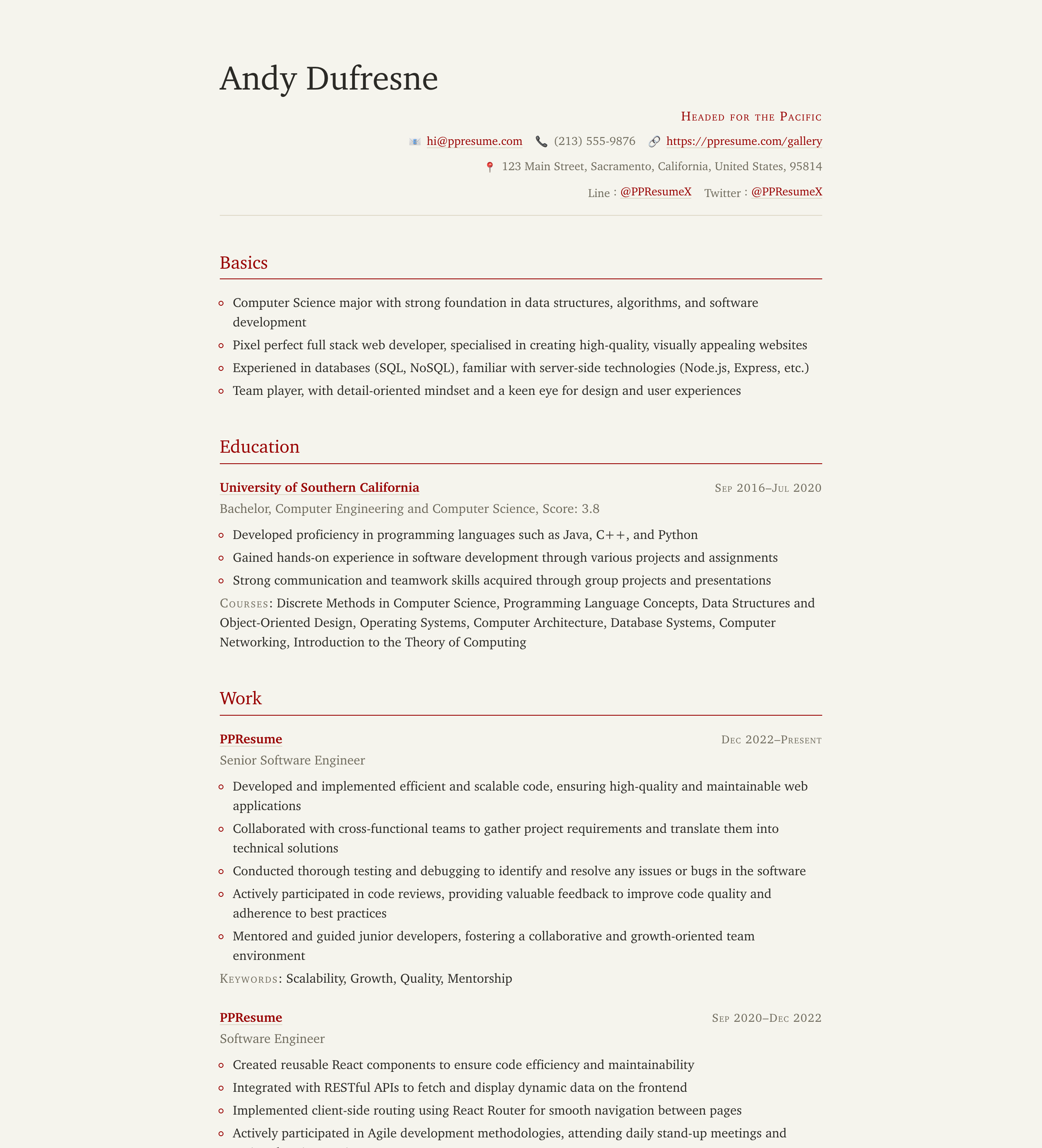
burgundy
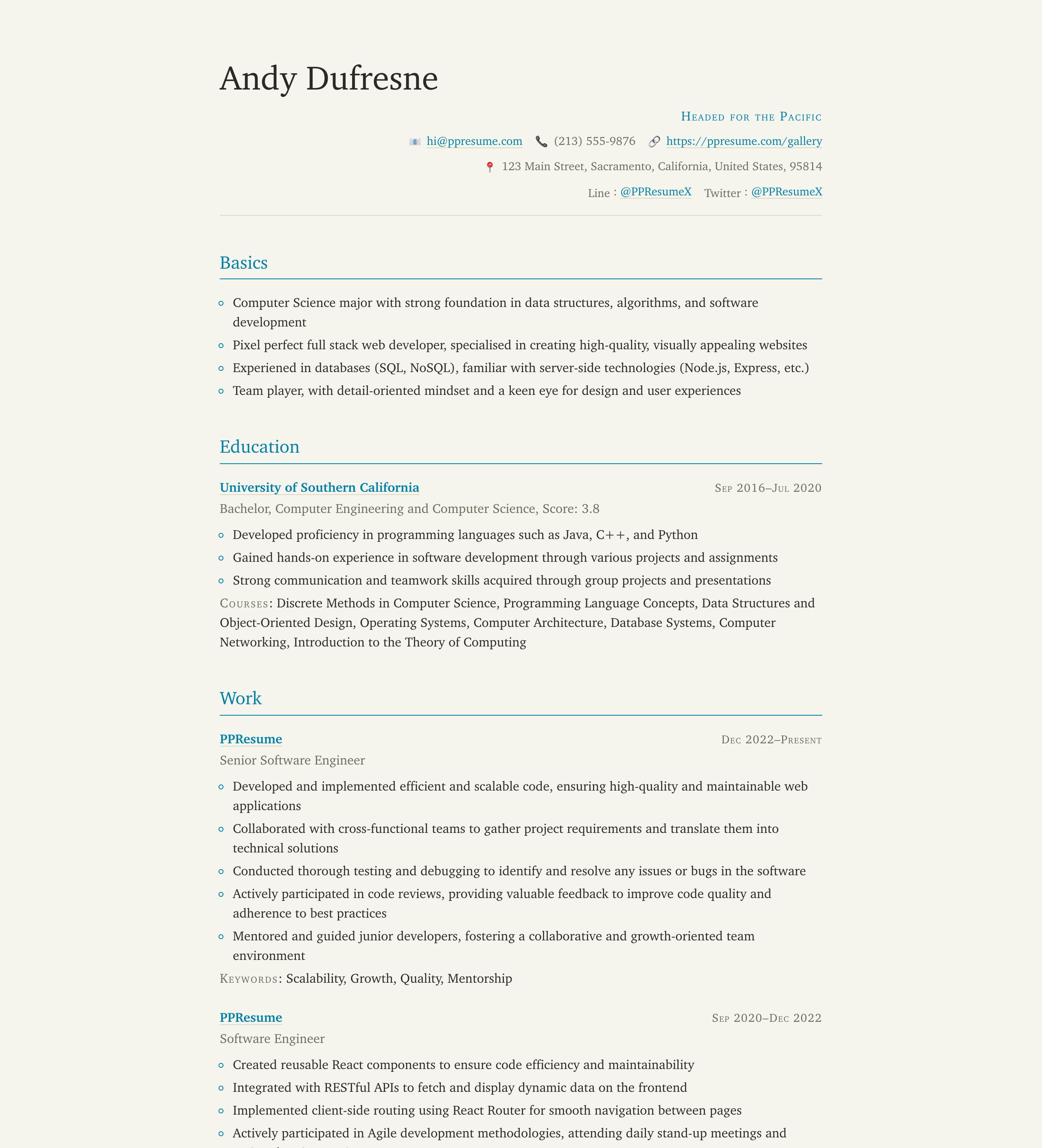
cerulean
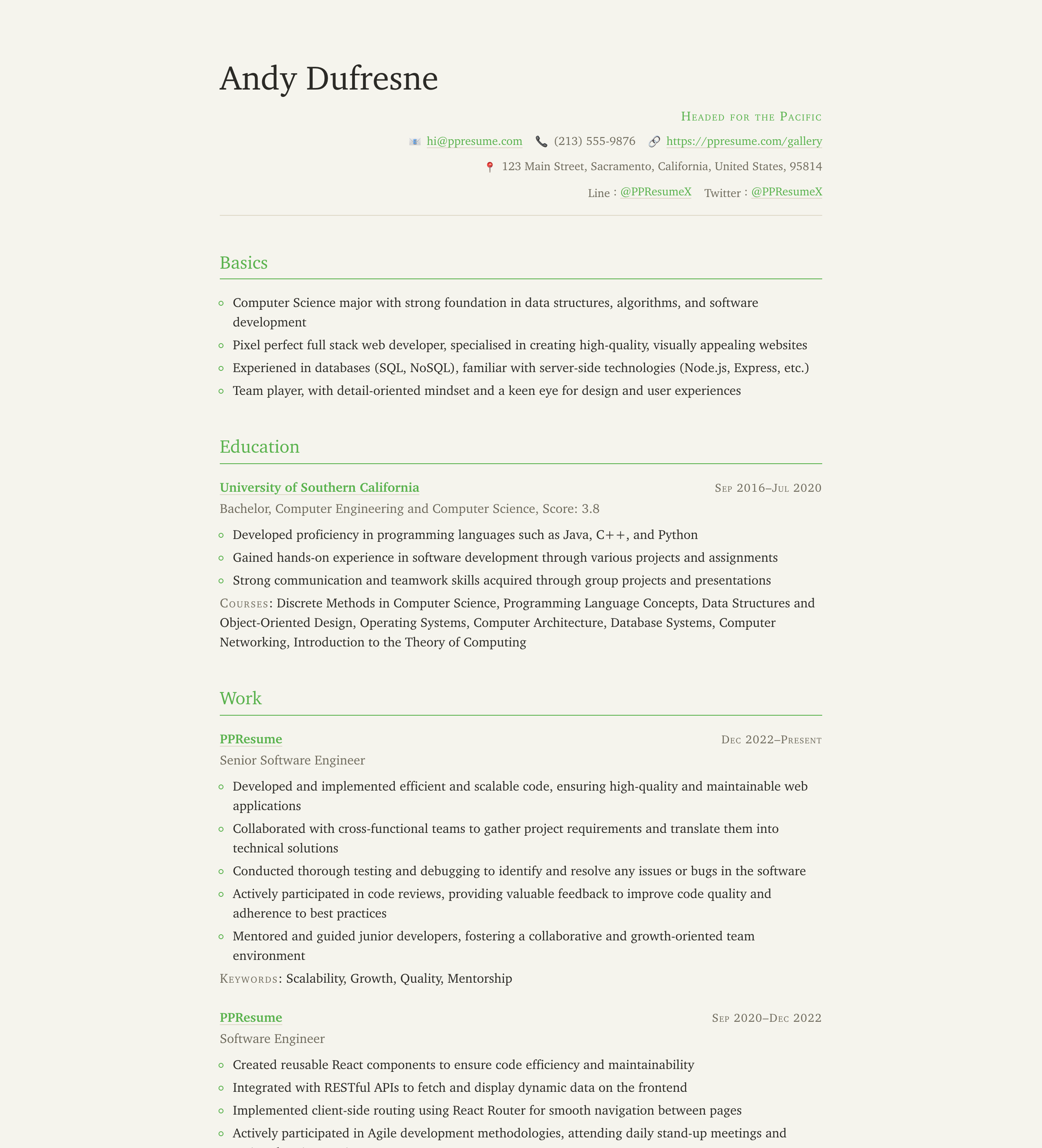
green
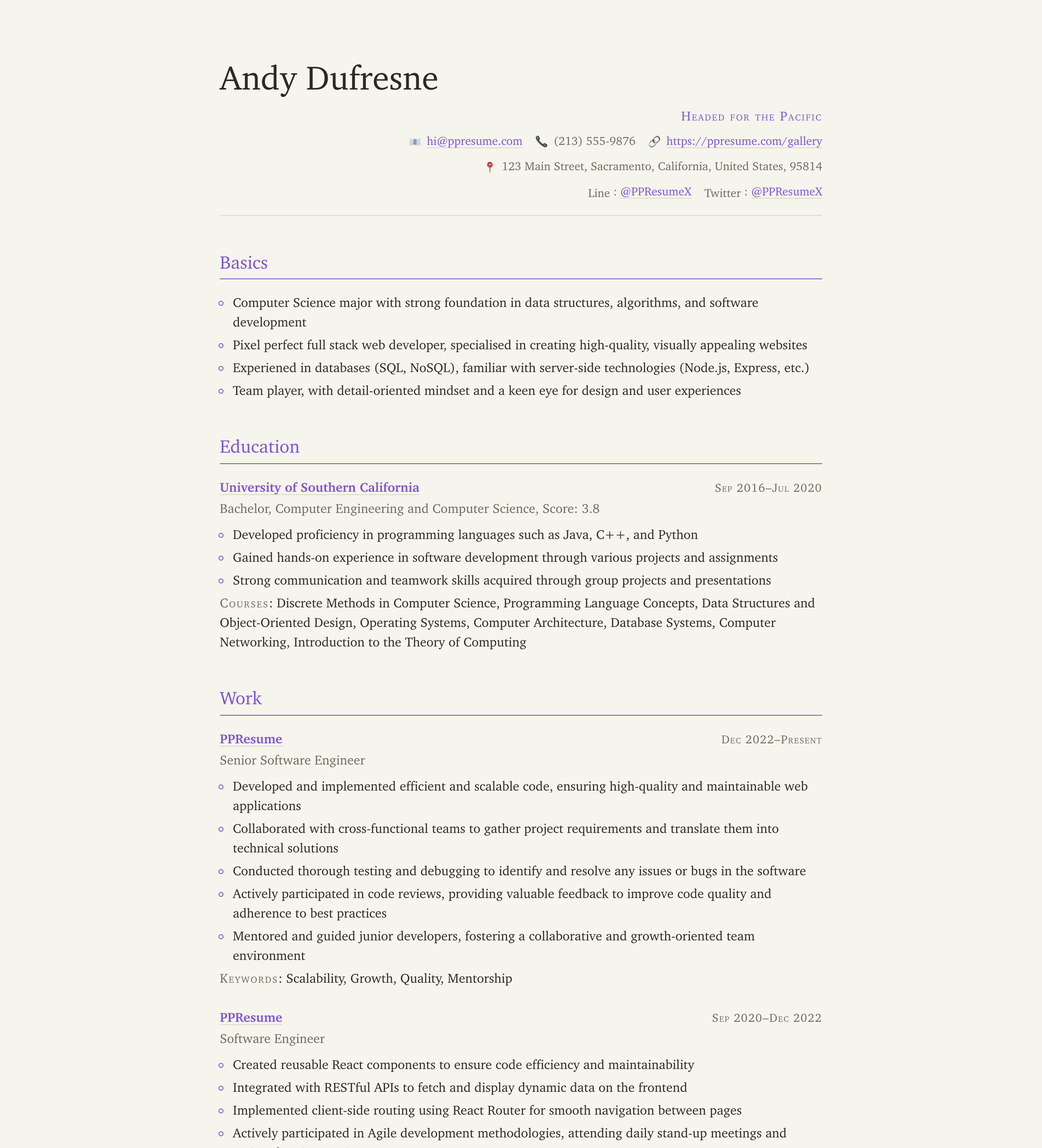
purple
When the accent color is not set, every template keeps its default palette.
The markdown engine ignores the option. And if you pick a color with very low
contrast against the white page, yamlresume build warns you instead of
silently shipping a washed-out PDF.
Kami: A New HTML Template
kami joins calm and vscode as the third HTML template. Kami (紙,
"paper") is a warm, print-inspired design: a parchment background, a single
Charter-based serif voice, small-caps labels, and quiet ink-colored accents,
composed like a well-typeset report. It honors theme.colors.accent
throughout, so it pairs naturally with the new theme option:
layouts:
  - engine: html
    template: kami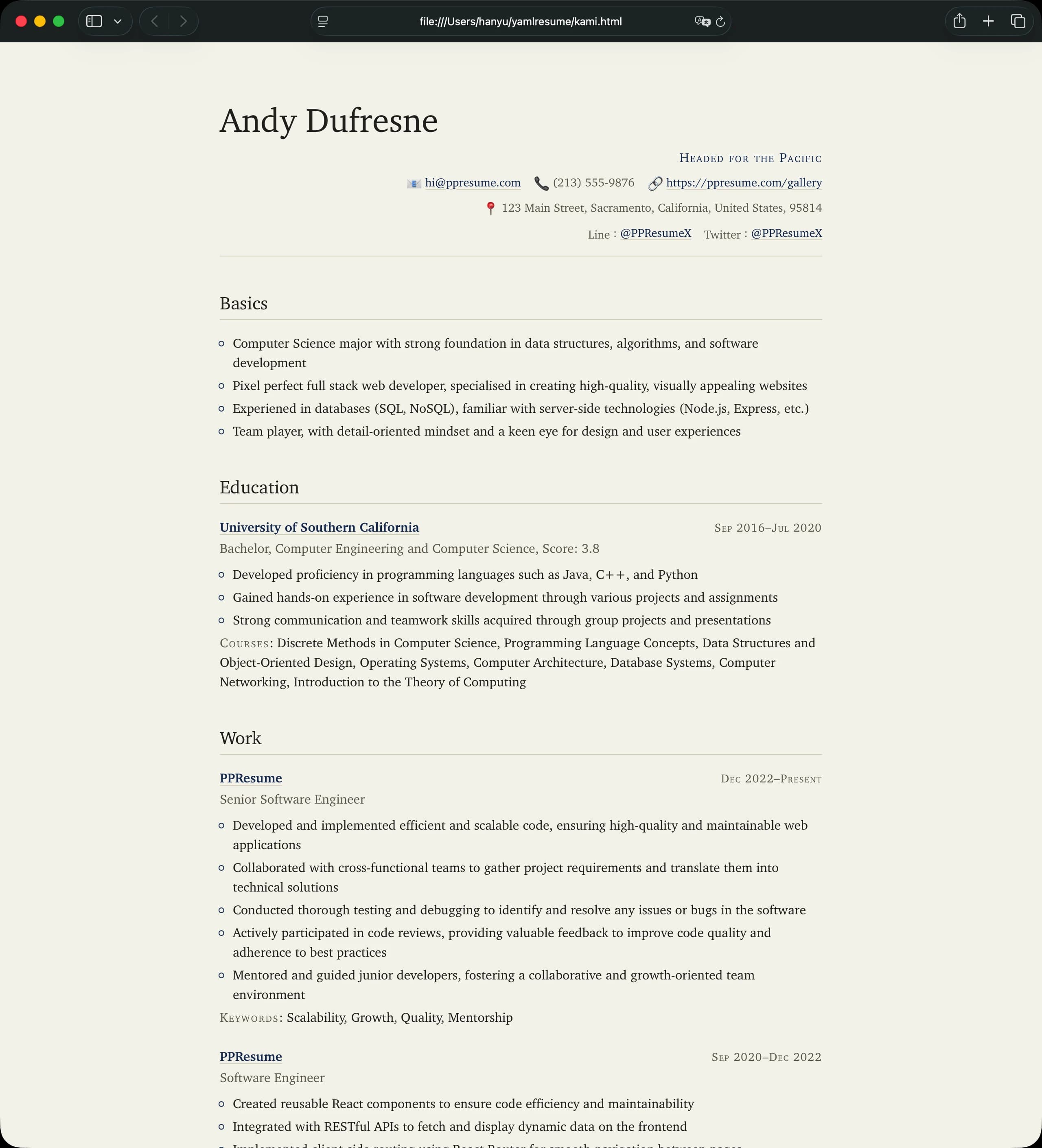
See the kami template documentation for details, or try it right now in the playground.
A 4.7x Slimmer Docker Image
The Docker image that ships the full yamlresume build pipeline—Node.js, the
CLI, XeTeX, and all fonts—went from about 4GB on disk (1.77GB download) to
866MB on disk (321MB download), by replacing the full TeX Live
installation with a curated TinyTeX install and pruning everything XeLaTeX
never reads. Your docker run commands do not change, and the PDFs are
byte-for-byte identical:
| Image | Download | On disk |
|---|---|---|
| v0.16.x (before) | 1.77 GB | ~4 GB |
| v0.17.0 (after) | 321 MB | 866 MB |
Read the full story—TinyTeX, font tree surgery, and why Perl had to go—in Slimming the YAMLResume Docker Image from 4GB to Under 1GB.
Anchor Navigation for HTML Output
One more improvement since the last release post: HTML output now emits
fragment id attributes on every section and entry (showAnchors, enabled by
default), so a generated resume can be linked directly at
resume.html#work-2. Turn it off with:
layouts:
  - engine: html
    advanced:
      showAnchors: false
Get v0.17
Update with your favorite package manager:
$ npm install -g yamlresume@latest
$ yarn global add yamlresume@latest
$ pnpm add -g yamlresume@latest
$ brew upgrade yamlresume
Or pull the new image:
$ docker pull yamlresume/yamlresume:latestCheck out the installation guide to get started, and if you run into anything, open an issue on GitHub. The full list of changes is in the changelog.
Enjoy v0.17!
Written by
Xiao HanyuAt
Sat Oct 17 2026