When you build a PDF resume with LaTeX, small
visual details carry a lot of weight. The
moderncv class adds icons next to contact
fields (phone, email, homepage, and so on), which is great for a polished look,
but not everyone wants icons in their header. Some people prefer a cleaner, more
minimal style, or need to match a corporate template that forbids pictograms.
This post explains what moderncv is, which icon library it relies on, how to
hide its icons, and how the LaTeX \renewcommand macro makes it all possible.
1. What is moderncv?
moderncv is a LaTeX document class designed
specifically for CVs and resumes. It provides a consistent, professional layout
and a set of high-level macros to format common resume elements: name, title,
contact details, section headings, and entries for work and education. Compared
to a raw LaTeX document, moderncv gives you a purpose-built layout system with
a few style variants (such as banking, classic, or casual, etc.)
A typical moderncv header might look like this:
\name{}{Andy Dufresne}
\title{Software Engineer}
\phone[mobile]{+1 555 123 456}
\email{jane@example.com}
\homepage{https://example.com}
The class takes these commands and renders them in a neat header. By default,
moderncv also shows icons alongside each item, which can make contact info
easier to scan.
2. What is the icons lib used by moderncv?
moderncv ships with icon support through the
fontawesome5 package.
Font Awesome is a popular icon set, and
fontawesome5 exposes it to LaTeX with commands like \faEnvelope,
\faMobileAlt, and \faGlobe. In moderncv, those icons are wired into
“symbol” macros such as \emailsymbol and \homepagesymbol. When you call
\email{...} or \homepage{...}, the class prepends the corresponding symbol
macro, which in turn uses a Font Awesome glyph.
Because the icons are routed through these symbol macros, you can replace or remove them without changing the actual contact content. This design is important: the content and the decoration are separate, so you can opt into a cleaner style with a few overrides.
3. How to hide icons in moderncv
The cleanest way to remove icons is to redefine the symbol macros to empty
strings. In LaTeX, \renewcommand lets you replace an existing macro with new
behavior. If you set each moderncv symbol macro to nothing, the labels remain,
but the icons disappear.
Here is the minimal snippet you can place in the preamble, after loading
moderncv:
% disable icons
\renewcommand*{\addresssymbol}{}
\renewcommand*{\mobilephonesymbol}{}
\renewcommand*{\fixedphonesymbol}{}
\renewcommand*{\faxphonesymbol}{}
\renewcommand*{\emailsymbol}{}
\renewcommand*{\homepagesymbol}{}
This mirrors the approach used in YAMLResume’s
moderncv renderer. In YAMLResume v0.10, the LaTeX preamble
optionally
inserts
exactly these \renewcommand* lines when a layout option under advanced
config named showIcons is set to false. That means the PDF output can toggle
icons without touching resume content.
Here the moderncv resume without icons:
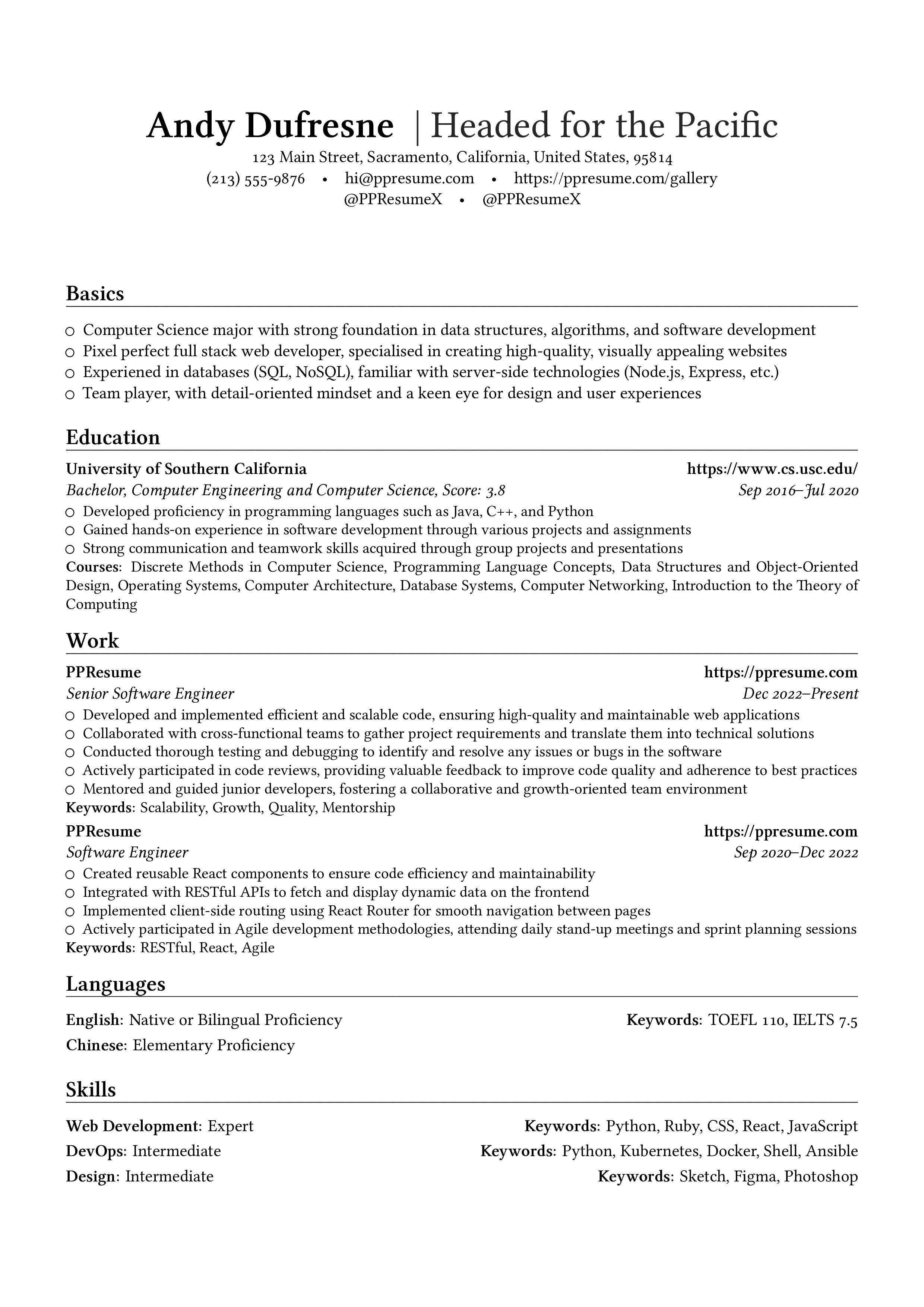
If you are using YAMLResume, you can control this behavior via layout settings and let the renderer inject those overrides automatically. If you are writing raw LaTeX, you can copy the snippet into your preamble. Either way, the end result is the same: your header keeps the text but loses the pictograms.
Why this works
moderncv defines a set of macros for each icon. For example, \emailsymbol is
used to display the email icon. When you redefine that macro to {}, LaTeX
still expands it, but there’s nothing to print. You are not removing the email
itself; you are only overriding the decoration that precedes it.
Extra tip: hiding social icons
If you are manually adding icons in custom fields (for example, using
\faGithub or \faTwitter in a custom line), you can also remove them by
simply not calling those commands. In YAMLResume’s renderer, this is handled by
checking a showIcons flag before inserting the Font Awesome glyphs for social
profiles. The pattern is the same: keep the \href content, but omit the icon
prefix.
4. What is the \renewcommand macro?
LaTeX uses macros to define how commands behave. The \newcommand macro creates
a new command, while \renewcommand redefines an existing one. Think of it as
“override this command with a new implementation.”
The syntax is:
\renewcommand{\commandname}{replacement}The starred version \renewcommand* behaves similarly, but it tells LaTeX not
to allow a paragraph break in the replacement text. For short symbol macros like
\emailsymbol, the star makes little practical difference, but it is common in
class files and templates.
In moderncv, the icon macros are already defined, so you must use
\renewcommand rather than \newcommand. If you try to redefine an existing
macro with \newcommand, LaTeX will throw an error. That is why the patch uses:
\renewcommand*{\emailsymbol}{}This line says: “Replace the existing definition of \emailsymbol with an empty
string.” The rest of the class keeps working, because \email{...} still
expands correctly; it just doesn’t prepend the icon anymore.
Putting it all together
To summarize:
moderncvis a LaTeX class for CVs and resumes with structured macros and nice defaults.- It uses the
fontawesome5package for icons, exposed through symbol macros like\emailsymboland\homepagesymbol. - You can hide icons by redefining those symbol macros to empty strings with
\renewcommand*. \renewcommandis the LaTeX mechanism for overriding existing macros safely.
If you want a minimal, text-only header, the override approach is the most
robust. It’s also future-proof: if you later switch to a new moderncv style or
add new contact fields, you can keep the same pattern by redefining the
corresponding symbol macros. And if you are using a renderer like YAMLResume, a
simple flag can toggle the entire block for you. And by the way, this
advanced.showIcons works for both HTML and
LaTeX engine.
Written by
Xiao HanyuAt
Wed Jan 21 2026